
I went down this rabbit hole on a Saturday night. Someone in our SEO team chat dropped “wordpress wisestudyspot .com” into a message with no context, and nobody could say what it was they were asking about. So I searched it. Half the results were generic WordPress SEO tutorials with the phrase jammed into every other heading, and the rest didn’t say a word about the actual website.
Funny thing is, this one is easy to settle. Finding out if a site runs on WordPress takes me about a minute and no paid tools, so I did it that same night (7 November 2026) and found more than I’d bargained for. Below is what I saw, a way for you to repeat the check on any site, and the parts of the setup I’d happily steal for my own WordPress build.
The Short Answer
It does. wisestudyspot.com is a WordPress blog, running the Astra theme with Rank Math for SEO, LiteSpeed Cache for speed and a few plugins for cookie consent and login protection. Not an agency, not a theme store, not a hosting company. A small tech blog, basically, with a decent plugin stack and a couple of rough edges.
Those rough edges are the interesting bit, and honestly the method is worth more than the verdict. Once you’ve done it, sizing up a competitor or a link prospect takes about as long as making coffee. That footprint is what people are really after when they search wordpress wisestudyspot .com.
What Does WordPress Wisestudyspot .com Actually Mean?
Nobody types this by accident, and I’d guess the people searching fall into three camps. One group wants to know if the site is a WordPress build. Another saw the name somewhere and wonders whether its WordPress advice is any good. A third, mostly link builders, is deciding whether to pitch it. Some add social media wisestudyspot .com hoping to find official accounts, others tack on digital marketing wisestudyspot .com to reach its marketing posts, and the stray space is just how we all type domains into Google. So wisestudyspot .com, wisestudyspot. com and wisestudyspot.com mean the same website.
A word of warning, since it tripped me up for a few minutes. One long guide ranking for the phrase lives on wisestudyspot.org, a different domain, and it’s a general WordPress SEO primer. Nothing in it describes what the .com site runs on. Glance at the address bar before you believe anything that borrows the name.
What I Found Under the Hood of the Site
Every WordPress site ships with a public index of its REST API, tucked at the address ending in wp-json. That’s not a hack or a loophole. The block editor and mobile apps use it to talk to the site. Open it for this domain and it lists whatever components answer, which is how I pieced together the WordPress wisestudyspot .com setup:
| What showed up | What it tells you |
|---|---|
| Astra theme | Light, popular, and a common pick for small blogs |
| Rank Math | Handles titles, schema and redirects, with its AI and instant indexing modules switched on |
| LiteSpeed Cache | Page caching to keep load times down |
| Complianz | Cookie consent for privacy rules |
| Really Simple Security and LLAR | Two-factor login plus a limit on login attempts |
| Block editor (Gutenberg) | Posts are built from blocks, not the old classic editor |
| Static front page, blank site title, tagline “My WordPress Blog” | A few default settings were never changed |
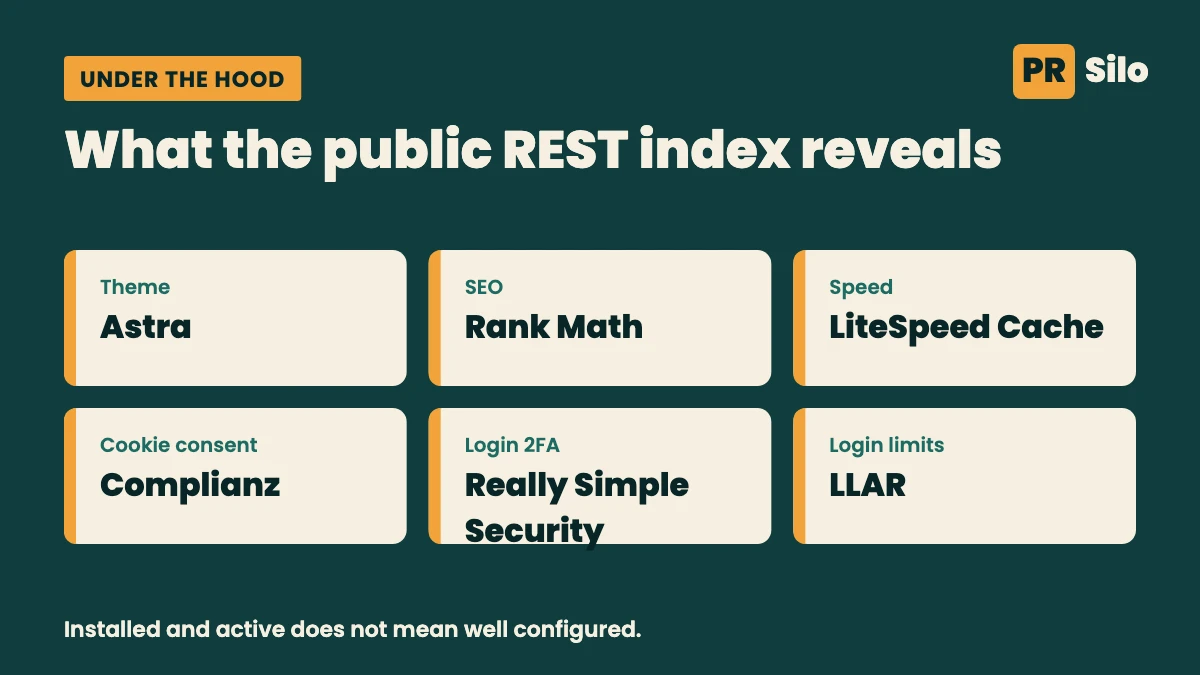
Honestly, that’s a better stack than I see on plenty of young sites. Caching, a real SEO plugin and two separate layers of login protection are what I’d want on a new blog. Where it slips is the settings screen. The site title is empty and the stock tagline is still sitting there, even though the homepage shows its own slogan. Themes and plugins sometimes read those fields, so I’d fill them in.
Two other things caught my eye. A post on SERP scraping shows up at four different addresses (some end in -2 and -3), and copies like that compete with each other unless one is marked as the main version. Google’s page on consolidating duplicate URLs covers the fix. And the three footer social icons all link to a placeholder, so a search for social media wisestudyspot .com won’t lead to an official profile, at least for now.
Only one post is squarely about WordPress: “Top AI Code Assistants for WordPress Developers in 2026,” filed under How-To Guides with no date on it. One caveat before you quote me. A plugin appearing in that index only proves it’s installed and active. It says nothing about how well it’s set up.
How to Check Whether Any Website Runs on WordPress
The same five checks answer the wordpress wisestudyspot .com question, and they work on any other site too. This is the order I go in:
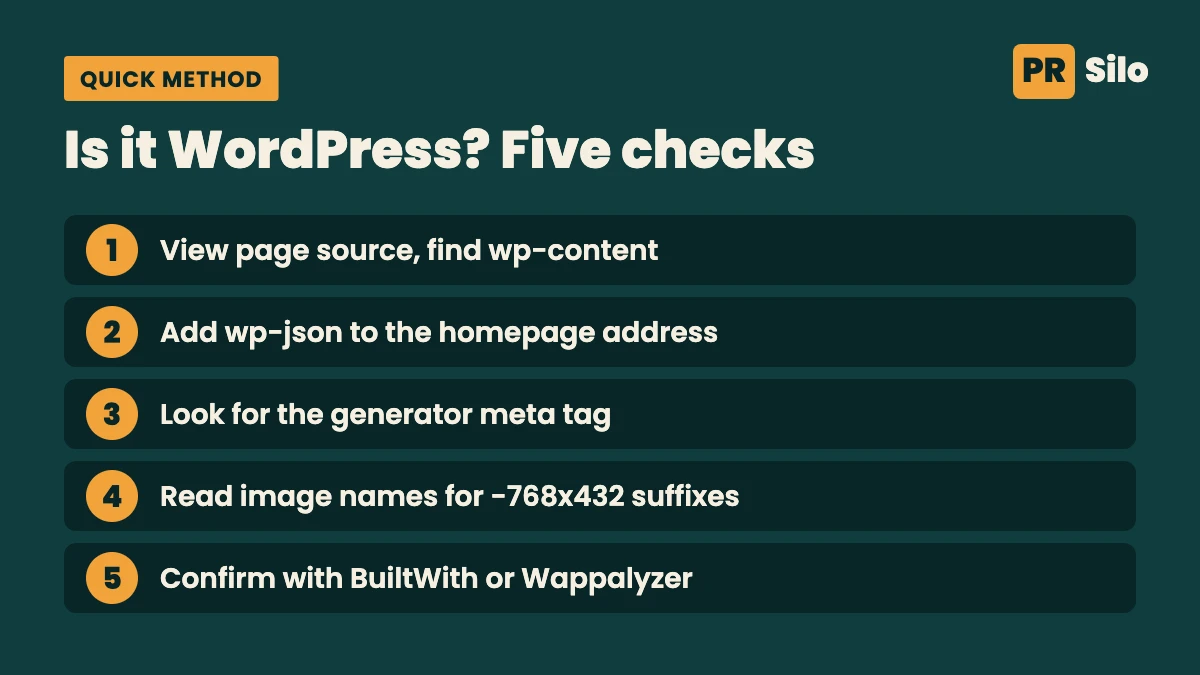
I always start with view source. Right-click, open it, and hit find for wp-content. If it’s there, the theme, scripts and images are probably loading out of folders named that. Then comes wp-json tacked onto the homepage address. A wall of JSON means WordPress is answering (a few owners turn it off, mind you). The generator meta tag is worth a quick look too, since older installs announce WordPress and a version number there (plenty of people strip it out). Image names are the sneaky one. WordPress makes resized copies and tacks on suffixes like -768×432, which gives the game away. After all that I’ll run BuiltWith or Wappalyzer as a second opinion, but I wouldn’t call either one proof.
Any one of these can be hidden, so no single check settles it. Stay with what a site shows publicly, and leave its login pages alone.
Is WordPress Still Worth Betting On?
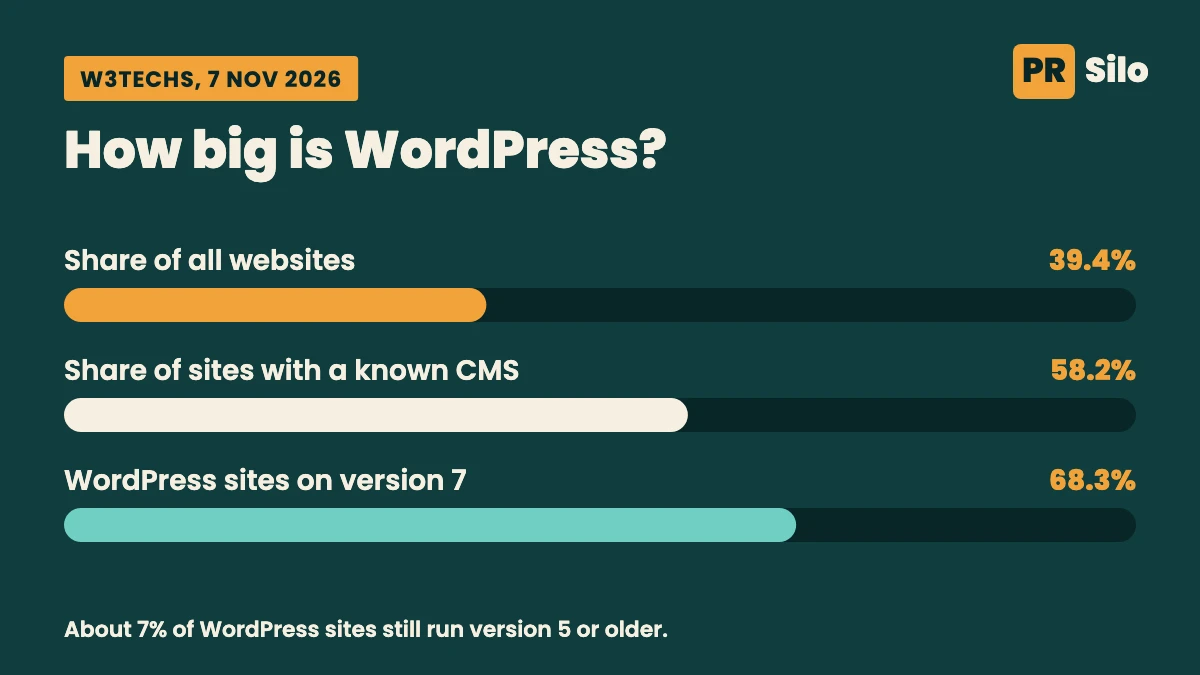
Yes, and the platform behind wordpress wisestudyspot .com is hardly fringe. On 7 November 2026 W3Techs showed it on 39.4% of all websites, and on 58.2% of the sites where a content management system can be identified at all. Most of those run version 7 (68.3%), with version 6 at 24.9%. The slice that bothers me is the roughly 7% still on version 5 or older, because stale installs are where most of the avoidable security trouble lives.
Numbers vary by who’s counting. One agency blog I read says 43.5% of the web for 2026, and the gap mostly comes down to what each tracker includes. Choose a single source and compare it with itself month to month.
It’s open source as well. WordPress.org traces it to a 2003 fork of b2/cafelog by Mike Little and Matt Mullenweg, built on PHP and MariaDB and released under GPLv2 or later. Translation: no platform fee, and no one host you’re stuck with.
Top WordPress Sites and Famous WordPress Sites Worth Studying
I stayed away from third-party roundups here. A couple I opened were still recycling lists from years ago. The official WordPress Showcase is current, so I went there. Among the top WordPress sites it features are The White House, NASA, Rolling Stone, Daily Kos, Disney Connect, Taylor Swift, Noma, The Noguchi Museum, Designmuseum Danmark and Ubisoft Québec.
So what do these famous WordPress sites actually prove?
- Rolling Stone and Daily Kos show it copes with heavy publishing and big editorial teams.
- NASA and The White House show it can run at government scale with tight control over who edits what.
- The Noguchi Museum shows you can get far away from a standard blog layout.
- Noma and Ubisoft Québec show brand-led design on the very same core software.
A small reality check, though. None of these are running a default theme on bargain hosting. The showcase even has filters for WordPress Enterprise and Multisite setups. Borrow their ideas, but don’t borrow their expectations about effort.
WordPress Showcase: A Fast Way to Find WordPress Site Ideas
The WordPress showcase bills itself as “the best websites, built with WordPress” and listed 160 sites when I looked. You can sort by category (Archived, Business, Community, Creative, General, Publication and Store), by tags like Museum, Music, Nonprofit and Restaurants, or by flavor, meaning BuddyPress, WordPress, WordPress Enterprise or WordPress Multisite. Owners can submit their own sites through a form, though the page doesn’t explain how entries are judged.
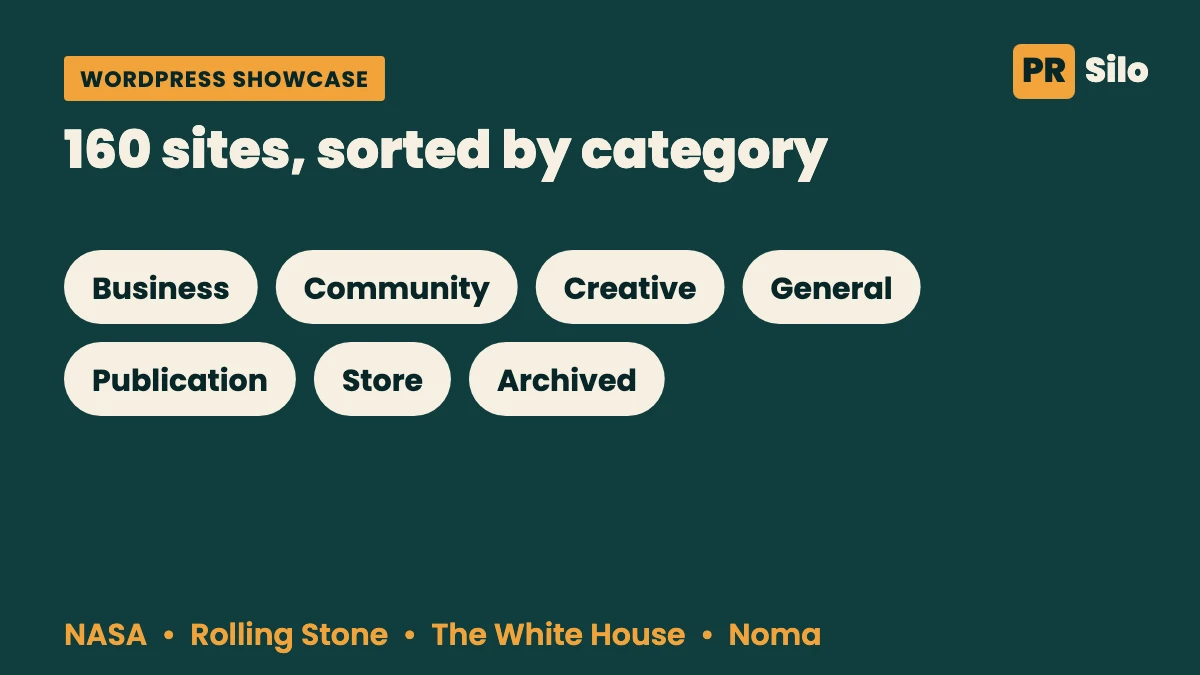
Here’s how I’d mine it for wordpress site ideas without losing an afternoon. Start with whichever category sits closest to your project and open three sites, colors be damned. I care about menu depth, the stuff above the fold, and whether the page crawls. Each site gets one note from me. Maybe it’s how a museum arranges a collection, or how a magazine keeps its archive tidy. Whatever it is, I try it on a single page of mine first.
Looking at wordpress website samples? Try not to get hypnotized by the design. Open them on your phone. See how they treat the about, contact and privacy pages. Then throttle your connection and watch what breaks.
WordPress Beispiele: Kurzer Hinweis für deutschsprachige Leser
Wer nach wordpress beispiele sucht, findet im offiziellen Showcase die verlässlichste Quelle, weil die Seiten dort nach Kategorien wie Business, Kreativ und Publikation geordnet sind. Die Suche nach wordpress beispiele lohnt sich vor allem vor einem Relaunch, wenn du sehen willst, wie andere Navigation, Seitenstruktur und Inhalte lösen. Und bei jedem der wordpress beispiele gilt: Ein schönes Design sagt noch nichts über Ladezeit oder Sichtbarkeit in Google aus, also prüfe beides selbst.
SEO Wisestudyspot .com: What to Copy and What to Skip
If you’re after seo wisestudyspot .com material, the site’s SEO posts cover semantic search, zero-click results and Chrome extensions for technical audits. Fine topics. The setup behind them taught me more, though.
Here’s my copy list. An SEO plugin from the start, so titles and descriptions have one home. Caching, because slow pages feel broken. And login protection that doesn’t rely on a strong password alone. What I’d skip is just as clear. Don’t publish one article at several addresses, don’t leave the title and tagline on their defaults, and don’t point footer icons at nowhere.
Google’s free SEO Starter Guide is a solid way to cover the basics. If you’d rather hand the checks to someone else, the on-page SEO and technical SEO work we do at PR Silo covers exactly this ground for WordPress sites.
Marketing and Social: Where the Site Runs Out
Plenty of people pair the name with digital marketing wisestudyspot .com, and what turns up is a handful of posts on AI content workflows, AI video generators and content auditing tools. Paid search, email and analytics hardly appear. So treat any digital marketing wisestudyspot .com search as a hunt for ideas. The posts inform, but they won’t stand in for a plan.
The social side is thinner still. The site links to no official profile, because those footer icons are placeholders, so any account using the name is unverified until the site says otherwise. Don’t hand one a password or payment details.
Look-alike Domains to Keep Apart
Other reviewers describe wisestudyspot.net as a general multi-topic blog and wisestudyspotcom.com as an SEO education site with backlink tools. I couldn’t confirm shared ownership with the .com site, and the reviewers I read couldn’t either. If a page about WordPress starts pitching services or software the .com site doesn’t offer, you’re probably on one of the others.
What to Take Into Your Own WordPress Build
The lessons from wordpress wisestudyspot .com fit on a sticky note. Fill in the site title and tagline on day one. Run one SEO plugin, not two. Add caching and compress your images before launch, switch on two-factor login, cap login attempts, and publish each post at one address only. Then keep core, theme and plugins current, because that part never stops.
Want a second pair of eyes on a WordPress site of your own? Our complete SEO solution starts with an audit of exactly this layer.
Questions I Keep Getting Asked
Q1. What does the WordPress setup behind wisestudyspot.com look like?
Think of it as a small blog on the Astra theme with Rank Math handling SEO. That’s the short version of what people want when they type the phrase in.
Q2. Is wisestudyspot.com built on WordPress?
It is. The REST API answers, images load from wp-content folders, and the plugin list takes in Rank Math, LiteSpeed Cache and Complianz.
Q3. Which famous WordPress sites should I look at for inspiration?
Begin with the official showcase and its 160 listed sites. NASA, Rolling Stone, Disney Connect, Taylor Swift, Noma and The Noguchi Museum make a good spread.
Q4. Where can I find WordPress website samples?
The WordPress.org showcase, hands down, since you can filter by category, tag and setup type. I’d compare three sites in one category before borrowing anything.
Q5. Is WordPress still worth using in 2026?
Hard to call it a gamble when W3Techs has it on 39.4% of all websites as of 7 November 2026. Just keep your own install current.
Q6. How can I tell if another site uses WordPress?
Hunt for wp-content in the page source, try wp-json after the homepage address, and look at image names for those size suffixes. A detector tool can back you up.