
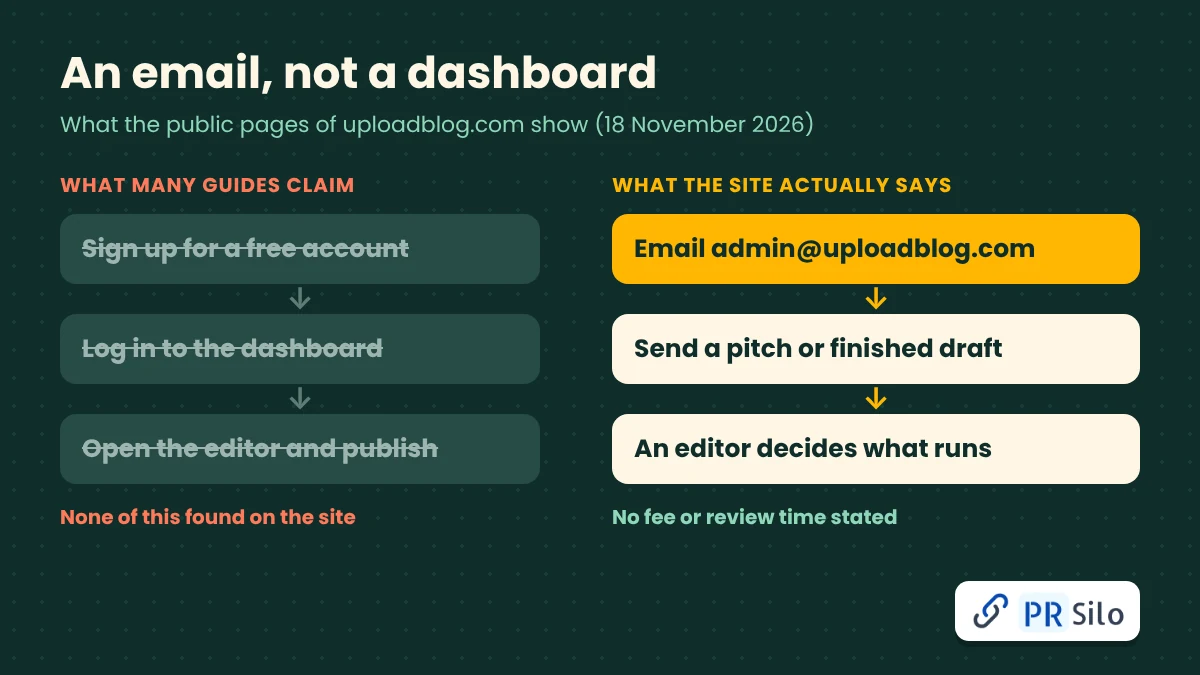
Here’s the part nobody leads with: you don’t upload anything. You write an email. When we went through the site on 18 November 2026, reading the Write for Us, About Us, Contact and Terms pages one after another, we kept hunting for a signup button and an uploadblog dashboard, and neither exists. What the site does have is an admin inbox, a short list of rules, and an editor who presumably decides, article by article, what goes live.
A lot of the guides ranking for this search describe something quite different: a free account, a tidy editor, a ten-step publish flow. That’s why people keep typing “how do i submit an article on uploadblog.com” and walking away with answers that fight each other. We went looking for that flow and couldn’t find it anywhere.
So here’s what uploadblog.com actually says about itself, the steps in the order we’d take them, the questions its rules leave hanging, and an email you can copy and tweak. Everything’s dated, since sites this size rewrite their pages whenever they feel like it.
The Quick Answer in One Table
| Question | What we found on 18 November 2026 |
|---|---|
| How to submit | Email a pitch or full draft to admin@uploadblog.com, as the Write for Us page directs |
| Account needed | None found. No signup or login on the homepage, About page or Contact page |
| Length | 800 to 1,500 words |
| Originality | Unpublished work only |
| Links | One do-follow link to your website or portfolio |
| Fee | Not mentioned |
| Review time | Not mentioned |
Those last two rows deserve a little suspicion. Fee and turnaround are exactly what you’d want to know before sending 1,200 words into the void, and the site is silent on both. We’ll get to closing that gap shortly.
Put the verified answer to how do i submit an article on uploadblog.com in one breath and it’s this: email the editor something original, and ask about money, links and edits before you commit. If what you really meant was how can i start a blog on uploadblog.com, skip down to the section near the end, because that answer goes a different way.
What Is UploadBlog.com and How Does It Work?
Here’s the quick version of what is uploadblog.com and how does it work, for the impatient: it’s a fairly new general interest magazine that takes guest articles over email. The slower version comes from piecing its own pages together.
The uploadblog.com homepage bills the place as a knowledge magazine, with shelves for AI tools, tech and gadgets, gaming, and business and finance. Click through to the uploadblog.com about us page and the wording shifts. Now it’s a modern, general blogging platform, though the page never mentions member accounts, never names an editor and never says which company stands behind it. Contact is a single address, admin@uploadblog.com, with Sydney and Los Angeles listed as locations and a reply promised within 24 to 48 hours for general inquiries.
Then there’s the archive. The blog index runs ten posts a page over 22 pages, call it 220 articles, and not one carries a byline, a guest label or a sponsored tag. Look up the uploadblog website in the public registry and you’ll see it was registered on 12 August 2025 through Spaceship and paid up to August 2027, so it’s roughly fifteen months old. No owner is listed.
What does all that mean day to day? Nobody gets a publish button. Somebody reads your email first. If you showed up expecting an uploadblog.com publishing platform in the Blogspot mold, this isn’t one.
How Is UploadBlog.com Different From Other Blogging Platforms?
Plenty of people ask how is uploadblog.com different from other blogging platforms, and the answer comes down to who holds the keys. On Blogger (home of the Blogspot address), WordPress.com or Medium, you register, open an editor and hit publish the same afternoon. Here, going by the public pages, you pitch and then wait.
| Self-serve blogging platforms | UploadBlog.com | |
|---|---|---|
| Who publishes | You, instantly | An editor, after review |
| Account | Required | None found |
| Control after publishing | Full | Unclear |
| Branding | Your own blog | The site’s design and name |
| Best for | Owning a long-term home for your writing | A single placement on someone else’s site |
Calling it an uploadblog.com publishing platform stretches the term a bit. If what you want is a place of your own, a free blog on one of those blogging platforms is simply the better tool. If what you want is your name and a link on someone else’s publication, pitching is the way in, and the rest of this guide is for you. One warning on lists of blog websites that “accept uploads”: they blur this line constantly, so check how each one really works before you build a plan around it.
How Do I Submit an Article on UploadBlog.com? Step by Step
Here’s the sequence that answers how do i submit an article on uploadblog.com in practice, in the order we’d run it.
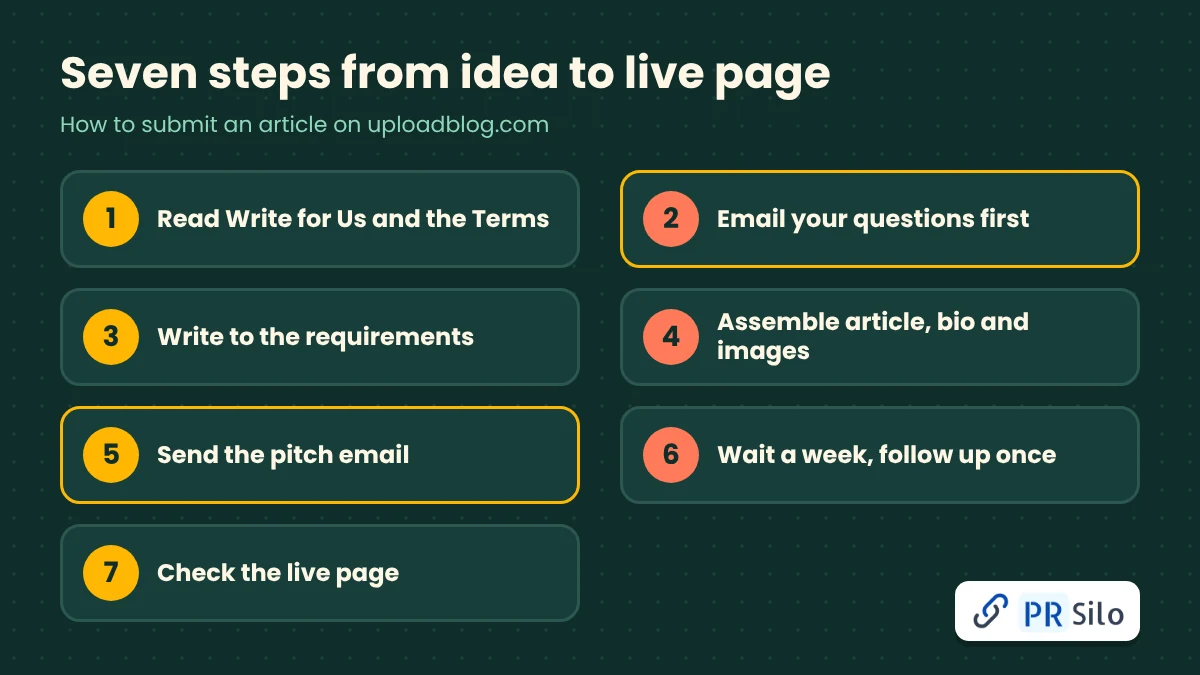
Step 1: Read the Write for Us page and the Terms
Both pages hold every rule the site has put in writing, so read them before you write a word. The uploadblog.com write for us page covers requirements and topics, while the Terms cover ownership, prohibited content and licensing. Start from the uploadblog.com homepage so you land on the live versions and not some scraped copy.
Step 2: Ask your questions by email first
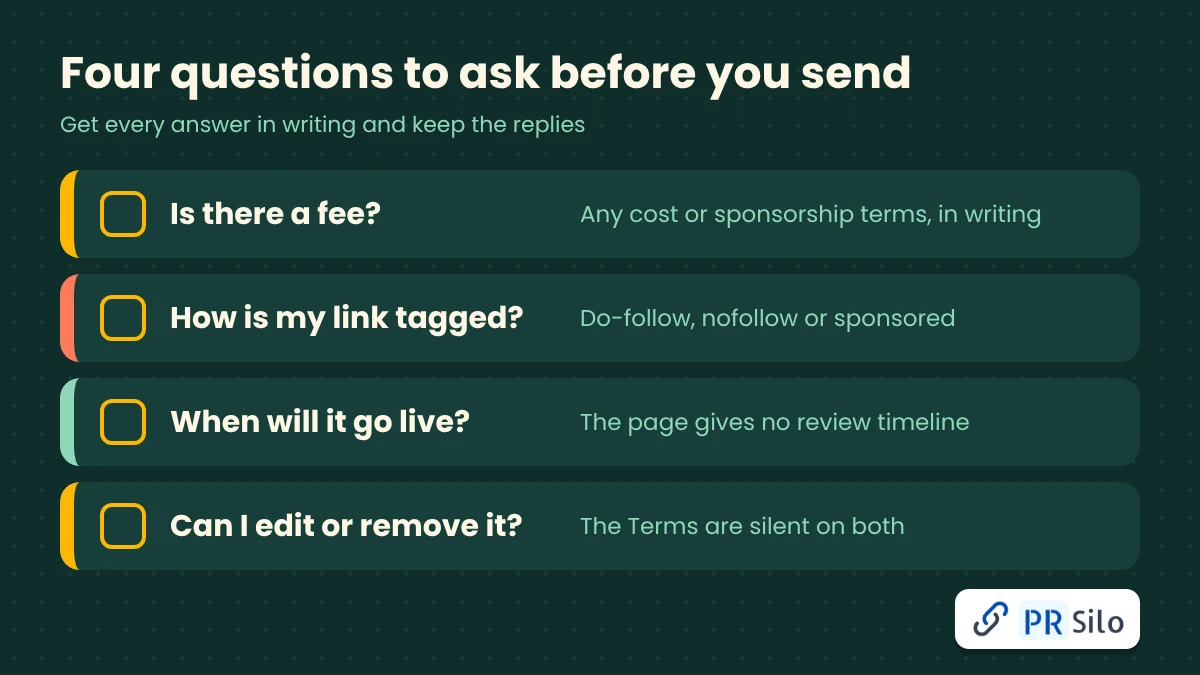
Money, link tags, timing, and what happens if you later want a piece edited or pulled: none of it appears on the public pages. Fire off one short email asking about each, and keep every reply, because a written answer is the only proof you’ll ever have. You can even submit article ideas as a short pitch before writing a full draft, which spares you the work if the editor passes.
Step 3: Write to the stated requirements
Target 800 to 1,500 words, broken up with headings, bullets and short paragraphs. The page also wants natural keyword use and optimized meta tags, so draft a meta title and a meta description to attach. If you’re rusty on how to write a blog post that holds a reader, lead with their problem and answer it fast. And write something you’d be happy to see online forever, since the site insists on work that has appeared nowhere else.
Step 4: Assemble the package
Treat every uploadblog post as a finished package: the article, your name, a short bio, and whichever profile links are relevant. A headshot or logo is optional. Images have to be copyright free, though the page says the team will help with visuals, so send the source for anything you include. Add alt text to each image, and pick a featured image if you have one.
Step 5: Send the email
Make the subject line say what the email is and what it covers, something like “Guest article: [topic], 1,200 words”. Then adapt this:
Hi team,
I would like to submit an original, unpublished article titled “[title]” for your [category] section. It runs about [word count] words and includes one link to [site].
Before you review it, could you confirm four things in writing: whether there is any fee or sponsorship arrangement, how the link will be tagged, the expected publication window, and how I can request edits or removal later?
My bio and the draft are below. Thank you for your time.
[Name, role, website]
Step 6: Wait, then follow up once
The only reply time on the site is that 24 to 48 hours on the Contact page, and it’s pegged to general inquiries, so don’t assume it covers article reviews. Give it a week, nudge once, politely, and if there’s still silence, take the piece elsewhere.
Step 7: Check the live page
Once it’s up, go through the title, byline, formatting, images and your link. Save the confirmation email and grab a screenshot. There’s no published correction or takedown process, which makes your own records the only safety net you’ve got.
What the Write for Us Page Asks For
Here’s what the uploadblog.com write for us page wants, in plain terms.
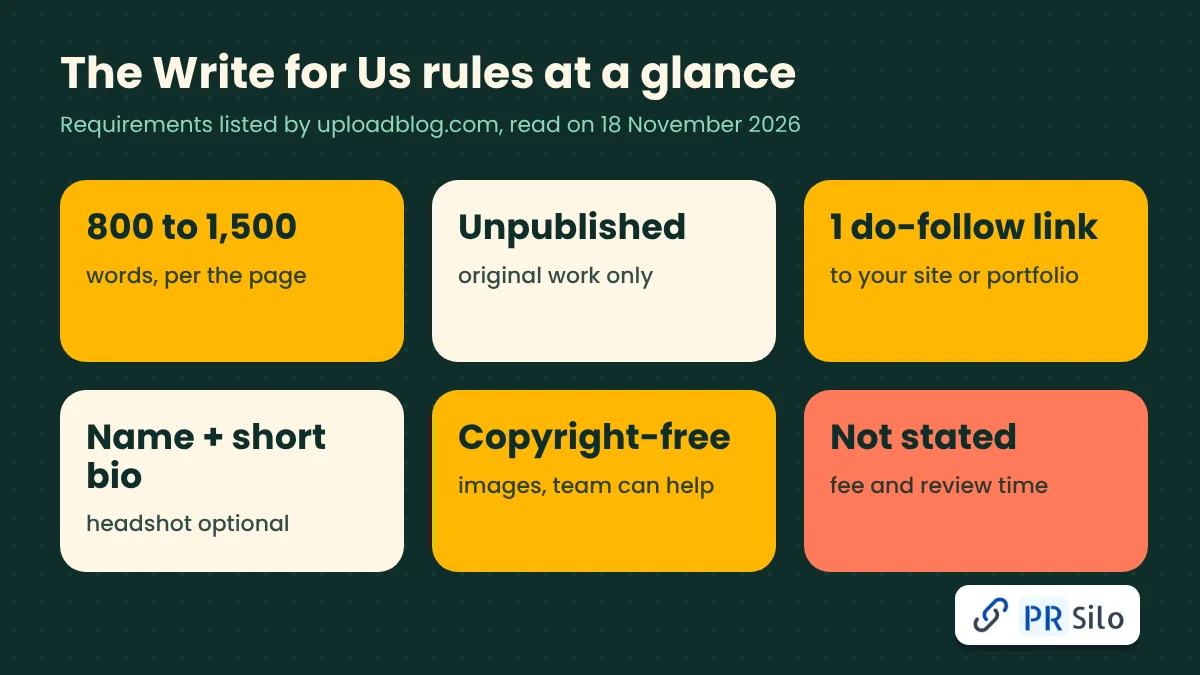
| Requirement | Detail |
|---|---|
| Originality | Unique, unpublished work |
| Length | 800 to 1,500 words |
| Structure | Headings, bullets, short paragraphs |
| Images | Copyright free, with help available from the team |
| Tone | Professional, informative, engaging |
| SEO | Natural keywords and optimized meta tags |
| Author details | Name and short bio required, headshot or logo optional |
| Link | One do-follow link to a website or portfolio |
One thing about length. “800 to 1,500” could be a range or a floor, and the page doesn’t say which, so ask before you start.
Topics the Site Accepts
The page lists technology and gadgets, AI tools, business and finance, health and fitness, lifestyle and personal growth, travel and culture, home and DIY projects, and entertainment, and it says pitches outside those areas are welcome. Judging by the uploadblog content we sampled, the real range is wider still, with education, video production, personal finance and automotive security all in the mix.
Navigation shows only a handful of categories, so a travel or DIY piece might not have an obvious home. Name the category you’re aiming for in your email.
Is UploadBlog Free or Paid?
So, is uploadblog free or paid? The site doesn’t say. The Write for Us page names no fee and neither do the Terms, which makes free plausible but unpromised, and anyone wondering how do i submit an article on uploadblog.com for free should hear that plainly. A typical uploadblog review online glides right past it.
Scroll the blog index and you’ll find posts with a distinctly commercial flavor, a mortgage broker in Sydney, a sports experience company, and none has a sponsored label. Were those paid placements or ordinary pitches? We can’t tell. That’s exactly why the pre-submission email matters: if someone quotes you a price, you’re buying a placement, and the link rules in the next section change.
The Link Question: Do-Follow, Sponsored and Google
That single do-follow link is why most writers pitch, and it’s also where the risk lives.
Google says paid placements and advertisements should carry the sponsored attribute, with nofollow still acceptable, and its spam policies cover link spam, including buying or selling links that pass ranking credit. The full explanation sits in Google’s guide to qualifying outbound links.
So what should you do with that? If the post is free and editorial, a followed link is fine. If money changes hands, ask for a sponsored or nofollow tag, or accept the risk with open eyes. Point the link at something that genuinely fits the article, and skip exact match anchor text on a commercial phrase.
Anyone hoping to upload blog for business promotion should hold to the same rules. Agencies that build links as part of content marketing for clients weigh the same things: topical fit, real readership and honest labeling. If you’d rather hand that off, PR Silo runs guest posting, link insertions and digital PR services with placements chosen on exactly those terms.
Rights, Edits and Removal: What the Terms Say
The Terms say contributors keep ownership of what they submit and grant the site a non-exclusive, royalty free license to display, share and promote it, and the uploadblog site may also show submitted content on other platforms. Another passage claims all original content on the site belongs to it, which sits awkwardly next to the first.
Nothing in the Terms covers editing or pulling a published piece. You’d still own the text under a non-exclusive license, but in practice control depends on an editor answering your email, so ask before you submit and keep your own copy of the final version.
What the Public Pages Leave Out
The list is longer than you’d like. There’s no documented review process or approval criteria, no fee policy, no turnaround for article reviews, no named owner, editor or company (the uploadblog.com about us page is silent on all three), no author attribution on any uploadblog content we sampled, no correction or takedown process, and no explanation of how sponsored content gets labeled. None of that proves a problem. It just means the answers live in an inbox, so get them in writing.
Common Mistakes to Avoid
Most wrong answers to how do i submit an article on uploadblog.com share the same few errors. The big one is hunting for a signup page or login: a guide that walks you through an editor is describing something we couldn’t find. A close second is treating the uploadblog site as a self-serve tool, then wondering why nothing happens. After that come writing before asking (if the length or link rules differ from the page, you’ll redo the work), sending a draft that already lives elsewhere, linking to a commercial page with a stuffed anchor, and skipping the live-page check and screenshot.
Can I Start a Blog on UploadBlog.com? What to Do Instead
The short reply to how can i start a blog on uploadblog.com is that you can’t, at least not in the self-serve sense. What the public pages offer is a route to one guest article, not a blog of your own.
If your own blog is the goal, it’s easy on a free service. Search how to start a blog for free and you’ll find that Blogger and WordPress.com both let you do it, while Medium hands you a ready-made readership. Those free blog sites suit a personal blog nicely. And if you’re wondering how to create a blog from scratch, the usual path goes like this: pick one topic and one reader, choose a platform and register, write a first blog post with a clear title, headings and a short intro (keep some how to write a blog post tips nearby), add a featured image with alt text and a meta description if the platform has the field, then publish and share the link.
Plenty of writers do both, keeping a personal blog as home base and pitching guest articles elsewhere to reach new readers.
After Your Article Goes Live
Share the link where your audience already hangs out, whether that’s LinkedIn, a newsletter or a professional community, and add a tagged link so your analytics can tell referral visits from everything else. A few weeks on, check Google Search Console to see whether the page got indexed. A live URL doesn’t guarantee indexing or rankings, and a lone guest piece works best as one thread in a wider content marketing plan.
Treat your first uploadblog post as a test. If you plan to submit article drafts regularly, keep a simple log of dates, replies and links. If it brings readers, a second pitch is easy to justify; if it brings nothing, you lost an afternoon, not a budget.
Our Verdict on UploadBlog.com
An honest uploadblog review based on the public pages goes like this: it’s a young general interest magazine with a clear route in and murky terms around money, edits and ownership. That works for a writer who asks questions first. It’s a poor fit for anyone who needs guaranteed placement, an uploadblog dashboard, analytics or full control of their blogging, or who wants to upload blog for business campaigns on a fixed schedule.
Don’t mix it up with the similarly named uploadblogreview.com, a separate publisher of hosting reviews by uploadblogreview com and beginner WordPress and SEO guides, whose homepage never mentions this site. The same caution applies to other blog websites with near identical names.
Frequently Asked Questions
How do I submit an article on UploadBlog.com in the simplest terms?
Read the Write for Us page, then email admin@uploadblog.com with a pitch or a finished, unpublished draft. There’s no account to create. Ask about fees, link tags and edits before you send the full piece.
Do I need an account or a website to submit?
No account showed up on any page we read, and you don’t need a website, though that one do-follow link is worth more when you have a page to point it at. A portfolio page counts too. Be wary of any prompt to register or pay that you reached from outside the site’s own menu.
How long should my article be?
The page asks for 800 to 1,500 words. Ask whether that’s a range or a minimum. Relevance and quality matter more than hitting a count.
Can I add images to my article?
Yes. The page asks for copyright free images and says the team can help with visuals. Send image sources and alt text along with the draft.
Can I edit or remove my article after it is published?
The Terms don’t say. You keep ownership of your text, but email the editor and ask how updates and removals work before you submit.
How long will it take to hear back?
The Contact page promises 24 to 48 hours for general inquiries, with no timeline for article reviews. Follow up once after a week.
Does the site accept guest posts, and are the links do-follow?
Yes to guest posts, through email. The Write for Us page offers one do-follow link, and guest posting of this kind only pays off when the link is relevant. Whether sponsored content is tagged differently isn’t documented, so ask.
Is uploadblog.com legit?
The public pages of the uploadblog website show an active site with about 220 articles, clear contact details and written terms. They don’t name an owner or company, and the domain is about fifteen months old. That’s not a verdict either way. Check the domain yourself with the ICANN lookup tool and Google’s Safe Browsing site status, then decide how much to invest.
Where should I go if I just want to start a blog for free?
Use a hosted service. Free blog sites such as Blogger and WordPress.com let you create a blog without pitching anyone, and how to start a blog for free is mostly a matter of picking one topic and publishing consistently. Learning how to create a blog takes an afternoon, and the first post can go live the same day.
Is uploadblog.com the same as uploadblogreview.com?
No, they’re separate domains. The review site publishes hosting reviews by uploadblogreview com, along with WordPress and SEO content for bloggers, and doesn’t mention the magazine.
The Bottom Line
Email the editor, ask your questions in writing, send one strong article and keep your records. That’s the whole workflow, and it’s shorter than any guide that invents a dashboard. Whenever someone asks how do i submit an article on uploadblog.com, that’s the answer. And if you’d rather have a link strategy built on placements like this, with the labeling and relevance checks handled, PR Silo’s team can take it from there.