
Here’s the truth about DIY SEO audits: most of them never get finished. You start one on a Monday, the spreadsheet hits forty issues by lunch, and by Friday it’s a tab you keep promising yourself you’ll close. Rankings, meanwhile, keep slipping. This guide is the fix for that. It shows how to do a DIY SEO audit in under an hour with a timer, a few free tools, a pass mark for each step and one blunt rule for what gets fixed first. There’s no 200-row spreadsheet at the end of it. There’s a short scorecard, and you can finish it before your coffee goes cold.
It’s built for site owners, in-house marketers and freelancers who want a decent first pass before anyone pays for a bigger project. And a quick word on sources: every Google number below was checked against Google’s own docs in October 2026, because a lot of audit advice online is still describing a Google that doesn’t exist anymore.
What Actually Fits in an Hour
An hour won’t hold much, so I stick to six questions. Money pages indexed? Fast enough on a phone, or is the screen blank for five seconds? Titles that match the content? Sensible internal links? Anyone vouching for you? Content that AI search tools can reach and quote?
It’s triage, not surgery. You’re after the five or ten problems costing you the most, ranked. If all you want is how to do a technical SEO audit, the indexing, speed and titles blocks are the technical core. Do those first and come back for the rest another day.
A few jobs won’t fit however fast you type. Log file analysis. Migration planning. JavaScript rendering diagnostics. Recovering from a manual action. Each one eats an afternoon, and most need a developer within shouting distance.
The Hour, Split into Eight Blocks
The timer is what makes this work. Once there’s a visible limit, a problem gets jotted down, scored and left alone instead of eating forty minutes of fixing, which is exactly how a one-hour audit quietly turns into a three-hour one. Here’s how to do a DIY SEO audit in under an hour without cutting corners:
| Minutes | Block | What you check | Main tool |
|---|---|---|---|
| 0 to 5 | Set up | Open your tools, record baseline numbers | Search Console, GA4 |
| 5 to 15 | Indexing | What’s indexed, robots.txt, sitemap, redirects, canonicals | Search Console, crawler |
| 15 to 25 | Speed and mobile | LCP, INP, CLS and a real phone | PageSpeed Insights |
| 25 to 35 | Titles and content | Titles, H1s, meta descriptions, thin pages, quick wins | Crawler, Search Console |
| 35 to 43 | Internal links | Broken links, orphan pages, link depth | Crawler |
| 43 to 50 | Backlinks and trust | Referring domains, spikes, local profile | Ahrefs Webmaster Tools, Search Console |
| 50 to 56 | AI search readiness | Crawler access, snippet settings, schema match | robots.txt, Rich Results Test |
| 56 to 60 | Score and rank | Fill in the scorecard, rank the fixes | A spreadsheet |
Eight blocks, exactly sixty minutes. If one overruns on a small site, you’ve probably found something worth its own fix. That’s fine. Jot it down and carry on.
Minutes 0 to 5: Tools Open, Baseline Written Down
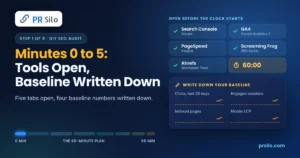
Open five tabs before the clock starts. Search Console comes first, verified for your site. It’s Google’s own opinion of your site, all in one place. Analytics 4 shows whether visitors stick around. PageSpeed Insights does the Core Web Vitals. Then a crawler. Screaming Frog’s SEO Spider is the usual free pick: 500 URLs cost nothing, and the paid license is £199 a year according to its own site. The last tab is Ahrefs Webmaster Tools, or the Links report in Search Console, for backlinks.
Already paying for Moz Pro? Then Site Crawl can do the desktop crawler’s job, and it’s how plenty of people end up running a technical SEO audit Moz style: a recurring crawl that sorts findings by issue category (check Moz’s current documentation for the exact labels). People also go looking for an SEO technical audit Moz walkthrough, mostly to see what the report looks like. The real lesson from those reports is that severity beats raw issue count, and that comes back in the scoring step.
Next, four numbers go in your notes: clicks and impressions from the last 28 days in Search Console, engaged sessions or conversions in GA4, the indexed page count from the Page indexing report, and your homepage’s mobile LCP. That baseline is part of how to do a DIY SEO audit in under an hour, not an optional extra. Without a before, there’s no way to prove an after.
Analytics deserves one warning. Whatever bounce rate benchmark you read a few years ago, toss it. GA4 counts a bounce as a session that wasn’t engaged, and an engaged session is anything that lasts longer than 10 seconds, includes a key event or racks up two or more page views. That makes bounce rate the mirror image of engagement rate, and it can’t be compared with the number old Universal Analytics reported.
Minutes 5 to 15: Is Google Even Seeing Your Pages?
Knowing how to perform a technical SEO audit starts here, for a fairly boring reason: if Google hasn’t indexed a page, it can’t rank, however good the page is. So the first job is checking what Google actually has.
Start with the Page indexing report in Search Console. It sorts your pages into two piles, indexed and not indexed, and the second pile looks scarier than it is. Robots.txt rules, noindex tags, duplicates and removed pages are all perfectly good reasons for a page to be in there, says Google. The thing to hunt for is a single important page that landed in the wrong pile. Five statuses are worth a quick look. Crawled, currently not indexed means Google visited, looked around and left. Discovered, currently not indexed means Google has heard of the URL and hasn’t bothered to crawl it. Then there’s Soft 404, Redirect error, and Duplicate, which is Google picking a different canonical than the one you declared.
URL Inspection is the natural follow-up. Run it on the homepage and your three money pages, and it’ll tell you whether each one is indexed and which version Google treats as canonical. A site: search makes a decent gut check too, but don’t quote the number to anyone, because Google says the results aren’t exhaustive.
Then there’s robots.txt, which lives at the root of your domain. Any Disallow rule covering a section you want ranked is a red flag, and there’s a mix-up that happens all the time here: robots.txt doesn’t keep a page out of results, a noindex tag does. The sitemap deserves the same scrutiny. It should be submitted in Search Console and list only indexable, canonical URLs, because junk in there sends mixed signals. Last comes the address itself. Try typing it four ways: http, https, www and non-www. Every one should end up at the same preferred address after a single redirect. Peek at the padlock while you’re there, because certificate warnings send visitors running.
One more detail from Google’s help page: if your site has fewer than 500 pages, you probably don’t need the full indexing report. On a small site you can skip the long tail and lean on URL Inspection for the pages that pay the bills.
Minutes 15 to 25: Is It Fast, and Does It Survive a Phone?
I’d run PageSpeed Insights on three URLs: the homepage, the page that makes you the most money, and whatever you published last. Look at the field data before anything else, since that’s what real visitors experienced. The lab score is a diagnostic, nothing more.
Google grades speed on three numbers, and it grades them at the 75th percentile of visits, which is a fancy way of saying the slowest quarter of your visitors decides how you do. Not the average. The targets are an LCP of 2.5 seconds or under, an INP of 200 milliseconds or under and a CLS of 0.1 or under. If a guide you’re reading still tells you to check FID, close the tab. INP replaced it as a Core Web Vital in March 2024. Lighthouse can’t measure INP, by the way, because nobody taps a screen in a lab, so it hands you Total Blocking Time instead, which is a rough proxy at best.
The Mobile-Friendly Test? Gone too. Google retired it, along with the Mobile Usability report, in December 2023. So pick up a phone. Is the text readable? Can a thumb hit the buttons? Does the page scroll sideways? Anything that goes badly goes in the notes. Lighthouse in Chrome DevTools can give a second opinion.
Oversized images, third-party scripts that block rendering and slow hosting are the usual culprits. If the top one or two take five minutes to fix, fix them now. The rest goes in the log.
Minutes 25 to 35: Titles, Headings and Content
The crawl is where this block gets interesting. A technical SEO audit Moz run sorts most of what turns up under its metadata and content issue groups, and in Screaming Frog the Page Titles and H1 tabs do much the same job, each with Missing and Duplicate filters plus a Multiple filter on the H1 tab. On a small site what surfaces is usually mundane: a homepage titled “Home”, two product pages sharing a title, a pricing page with no H1. None of it is hard to fix, which is exactly why it’s worth fixing first.
Take a garden furniture shop and its page on teak benches. The title is “Benches | Shop”, the same pattern as every other page, so Google has nothing to tell them apart. Fixing that takes about two minutes: a title that names the product up front and stays short enough to survive being trimmed, since Google has no fixed limit and will cut or rewrite titles as it sees fit. The meta description gets a quick pass too. It won’t move rankings, though that little blurb under the link has plenty to do with whether anyone clicks. A site where every page looks like this is where on-page SEO support earns its fee.
Now the Performance report in Search Console, sorted by impressions. Picture the teak bench page: 4,000 impressions, 20 clicks. People see it and keep scrolling. Meanwhile the outdoor cushions page is stuck at position 14. A sharper title and a couple of internal links might be enough to tip it onto page one. Both are worth the effort because Google already thinks they’re relevant, which is half the battle.
Last, the thin pages. A near-empty page for “bench cushions” that repeats the cushions page can be merged into it, or expanded into something worth reading, or pointed at the stronger page with a canonical tag. Any of the three beats five cosmetic tweaks.
Minutes 35 to 43: Internal Links, Broken Links and Orphan Pages
Depth and orphans come next. Pages sitting four or more clicks from the homepage tend to be crawled less often and pick up less internal link equity. Orphans have it worse: those are URLs in your sitemap that the crawler never reached by following links, so nothing on the site points at them. Put the sitemap list next to the crawl list and they show up fast, because anything in the first and missing from the second is an orphan.
Broken links are the third thing to look at. Google is relaxed about 404s (a missing page is fine when there’s no replacement). But a link you control that leads to a dead URL? It wastes a visitor’s time and the crawler’s effort, and if the page just moved, a 301 redirect sorts it. Every commercially important page should also be getting links from several relevant pages, with anchor text that works like a label. “Click here” describes nothing.
Minutes 43 to 50: Backlinks, Mentions and Trust
Three questions cover the backlink check. How many referring domains does the site have? Do the most important pages attract any external links at all? And does anything look off, say a sudden spike from unrelated sites or one keyword-stuffed anchor repeated dozens of times? Ahrefs Webmaster Tools answers all three. So does the Links report in Search Console, if you’d rather not leave the tab you’re in.
Domain Authority and Page Authority? Those are Moz’s scores, not Google’s. Handy for comparing sites, but never a verdict. Disavowing is usually overkill too. Save it for a manual action or an obvious pattern of paid or spammy links.
My honest take? A handful of relevant editorial links beat dozens of weak ones. And if your money pages have none, you don’t have a penalty, you have a to-do list. Digital PR, relevant guest posting and expert commentary all move slower than a directory submission, but the links they earn last.
Serve a local area? Spend two of your sixty minutes on the Google Business Profile. Primary category, services, hours, recent reviews: all worth a look. And the phone number and address should match your website character for character. Local SEO support covers the ongoing work.
Minutes 50 to 56: AI Search Readiness
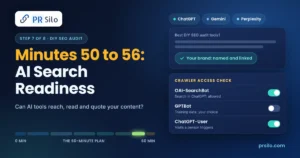
Almost every audit guide skips this block, which I think is a mistake. Google’s own line is that there are no extra requirements and no special markup for appearing in AI Overviews or AI Mode. The page has to be indexed and eligible for a snippet, same as in classic results. So your earlier blocks already did most of the work. Three extra checks still earn their minutes. Any nosnippet or restrictive max-snippet setting on pages you want quoted? Key content sitting in images instead of text? Structured data that says something different from the page?
Other AI products run their own crawlers, and the settings aren’t linked. OpenAI, for example, runs three. OAI-SearchBot handles search features in ChatGPT, GPTBot collects training data, and ChatGPT-User covers visits a person triggers with a request. So a site can show up in ChatGPT search while declining training use. Now picture a developer who wants to stop training use and adds one blanket rule blocking every AI-sounding bot. Six months later nobody knows why the brand never turns up in ChatGPT answers. Easily done. Worth knowing: OpenAI says robots.txt changes can take about 24 hours to kick in, and that robots.txt rules may not apply to ChatGPT-User at all. Five minutes on the robots.txt and the CDN or firewall rules is time well spent. Perplexity, Anthropic and other vendors publish their own crawler names too, so read each one’s documentation before editing anything.
Then comes a manual test, which I find oddly satisfying. Ask ChatGPT, Gemini and Perplexity five questions your customers actually ask. Does your brand get named? Linked? Jot down the answers. It isn’t a ranking report, but it’s a baseline you can repeat every quarter, and the result goes in the scorecard.
Schema is simple enough. Keep it accurate and matched to the visible text, then run it through the Rich Results Test. Just don’t hang a plan on FAQ rich snippets. Google cut FAQ rich results back in August 2023, so now only well-known government and health sites get them.
Minutes 56 to 60: Sort What You Found
Here’s what I’d do with a spreadsheet: one row for every area from the blocks above, each marked pass, fix or unknown. Finishing that sheet is the real outcome of how to do a DIY SEO audit in under an hour.
Then sort it. A stray noindex on the services page? Blocker. Nothing else matters until it’s gone, and indexing errors, a wrong canonical and broken redirects land in the same pile. Fix them this week. Now a product page with a four-second LCP. That’s a drag. Painful, not fatal. Duplicate titles, orphaned pages, internal 404s, a blocked search crawler: same pile, and they get a month. Polish is the slow stuff. Tighter content, more internal links, a few backlinks. That just joins the normal content plan.
Here’s the part people skip: severity beats volume. An SEO technical audit Moz Pro runs, like any other platform’s, will happily list hundreds of low-priority warnings, and they bury the three things that actually stop pages ranking. Blockers first. Everything else gets a calendar date.
How Long Does an SEO Audit Take, and When Is an Hour Not Enough?
The question I hear most is how long does an SEO audit take, and the annoying answer is that it depends on the site. A few dozen pages? An hour, maybe ninety minutes the first time while somebody finds the Search Console login and installs the crawler. A 20,000-URL store? Forget it, that’s a different job. So is anything with a migration in its past. Agencies usually quote a few days for a small site and a couple of weeks or more for a thorough one, because there’s a full crawl review, competitor and backlink analysis and a written plan to produce. That gap is exactly why the hour works. You’re choosing to look at less, which is the whole point of knowing how to do a DIY SEO audit in under an hour.
How to Perform a Technical SEO Audit on a Large or Complex Site
Past a few thousand URLs, the hour runs out fast. Knowing how to do a technical SEO audit on a big site mostly means knowing what to add. Log files. JavaScript rendering. Faceted navigation. Redirect maps for migrations. Hreflang for multilingual sites. If you pay for Moz Pro, the weekly SEO technical audit Moz runs in the background will at least show what changed between crawls.
Seven Mistakes That Waste the Hour
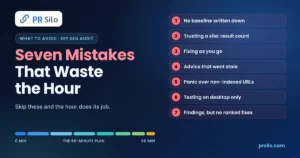
Skipping the baseline hurts most, and it’s the first trap for anyone working out how to do a DIY SEO audit in under an hour. Picture a plumber’s website where somebody fixes forty things in March. By May traffic is up 15%, and nobody can say whether that was the fixes or the boiler-repair season, because last month’s clicks were never written down. Annoying, right?
Next: reading the result count of a site: search as the number of indexed pages. Google says those results aren’t exhaustive, so a count of 212 proves nothing about whether 230 pages are really in the index. Third is fixing as you go. Say you spot a missing H1. You open the CMS to fix it, and forty minutes later the timer is long gone and half the checklist hasn’t been touched.
Fourth is leaning on advice that went stale years ago. FID, the Mobile-Friendly Test and old Universal Analytics bounce rate benchmarks all turn up in guides published long after they stopped meaning anything. Fifth, treating every non-indexed URL as a crisis, when the login page and the filtered “red sofas under £200” category page are supposed to stay out. Sixth, testing on desktop only and then wondering why phones struggle. And seventh: finishing with forty findings and no ranking. Into the drawer it goes, next to the takeaway menus.
Quick Answers Before You Start the Timer
Q1. How Long Does an SEO Audit Take for a Small Site?
About an hour for a few dozen pages. Add thirty minutes the first time, because someone always has to dig up the Search Console login (it’s never where you left it). Agencies take days, sometimes a week or two, and fair enough: they’re reading the whole crawl, sizing up competitors, going through backlinks and then writing it all up. That last bit alone can eat a day.
Q2. So How Often Should I Run a Diy SEO Audit?
Every quarter is plenty. A monthly peek at Search Console helps too, since new errors pile up quietly. Redesign, migration, sudden traffic cliff? Run the relevant blocks again that week, no waiting.
Q3. Which Free Tools Do I Actually Need?
Five tools, zero cost. Search Console, GA4, PageSpeed Insights, Screaming Frog’s free tier (500 URLs) and Ahrefs Webmaster Tools cover the whole plan. Moz Pro and Semrush are nice, mostly for scheduling and history, but nobody needs them to get started. And if you landed here hunting for a technical SEO audit Moz walkthrough, good news: the same scorecard works with whatever crawler you’ve got.
Q4. What Mistakes Come Up Most?
Skipping the baseline, easily. If you’re learning how to perform a technical SEO audit, though, the classic trap is fixing the easy stuff first. Shortening a title tag feels great. Meanwhile, a stray noindex on the services page sits there quietly costing you money.
Q5. Can a DIY Audit Replace a Pro?
Sort of. Anyone who’s learned how to do a DIY SEO audit in under an hour will find the same obvious problems a pro would on a 50-page site, so it’s a smart first step before paying for anything bigger. Migrations, penalty recovery and gnarly JavaScript rendering are different. That’s where you want an expert. Technical SEO services cover crawl, speed and indexing work beyond a quick pass, and off-page SEO covers the authority side.
Q6. How Will I Know the Audit Worked?
Look at the four baseline numbers again at 28 and 90 days: clicks and impressions, engaged sessions or conversions, indexed pages and mobile LCP. Pages you changed moved and the enquiry form got busier? It worked. Rankings moved but nothing else did? Ask harder questions.
Q7. Run It Today, Then Run It Again
Set the timer. That’s honestly most of it. How to do a DIY SEO audit in under an hour comes down to one timer, a few free tools and the nerve to fix blockers before anything else. Wondering how to do a technical SEO audit without buying software? Search Console, PageSpeed Insights and a free crawler will get you there. Then put the next run in your calendar for three months from now, and compare the numbers when it comes.