
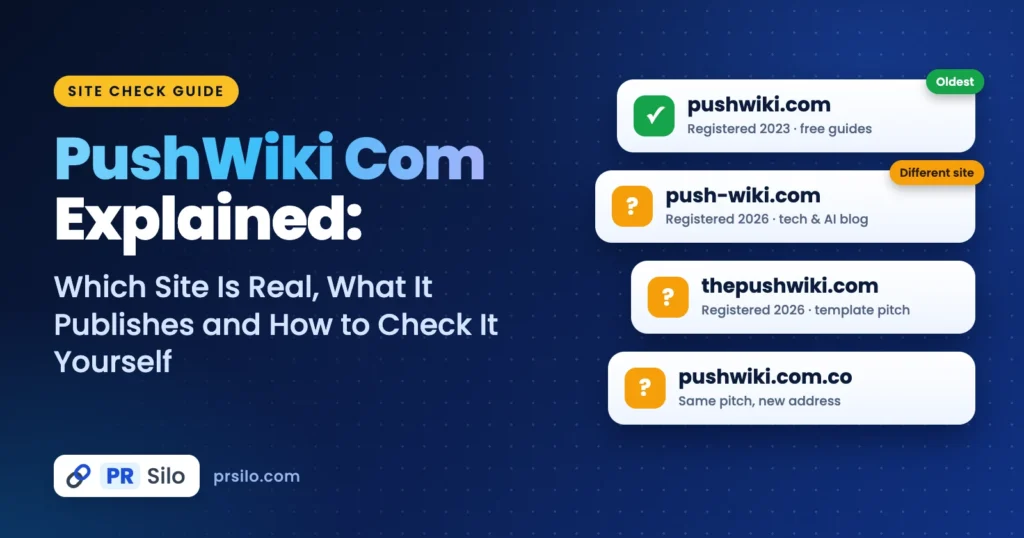
Search for pushwiki com and the answers fight each other. One review says it’s team collaboration software. Another calls it a tech and AI news hub. A third swears it’s a school for SEO beginners, and a fourth says it’s a community-edited encyclopedia. Somebody has to be wrong, right? Not really. These writers are describing different websites that happen to share a name.
So I went looking. On 6 November 2026 I opened each site, read what was really on the page and pulled the public registration record for every domain. That’s why you’ll see dates all over this guide. By the end you’ll know which address is which, what each one publishes and what one MeezVo article says about the brand. You’ll also get a quick routine for sizing up any site you’ve never heard of.
The Short Version
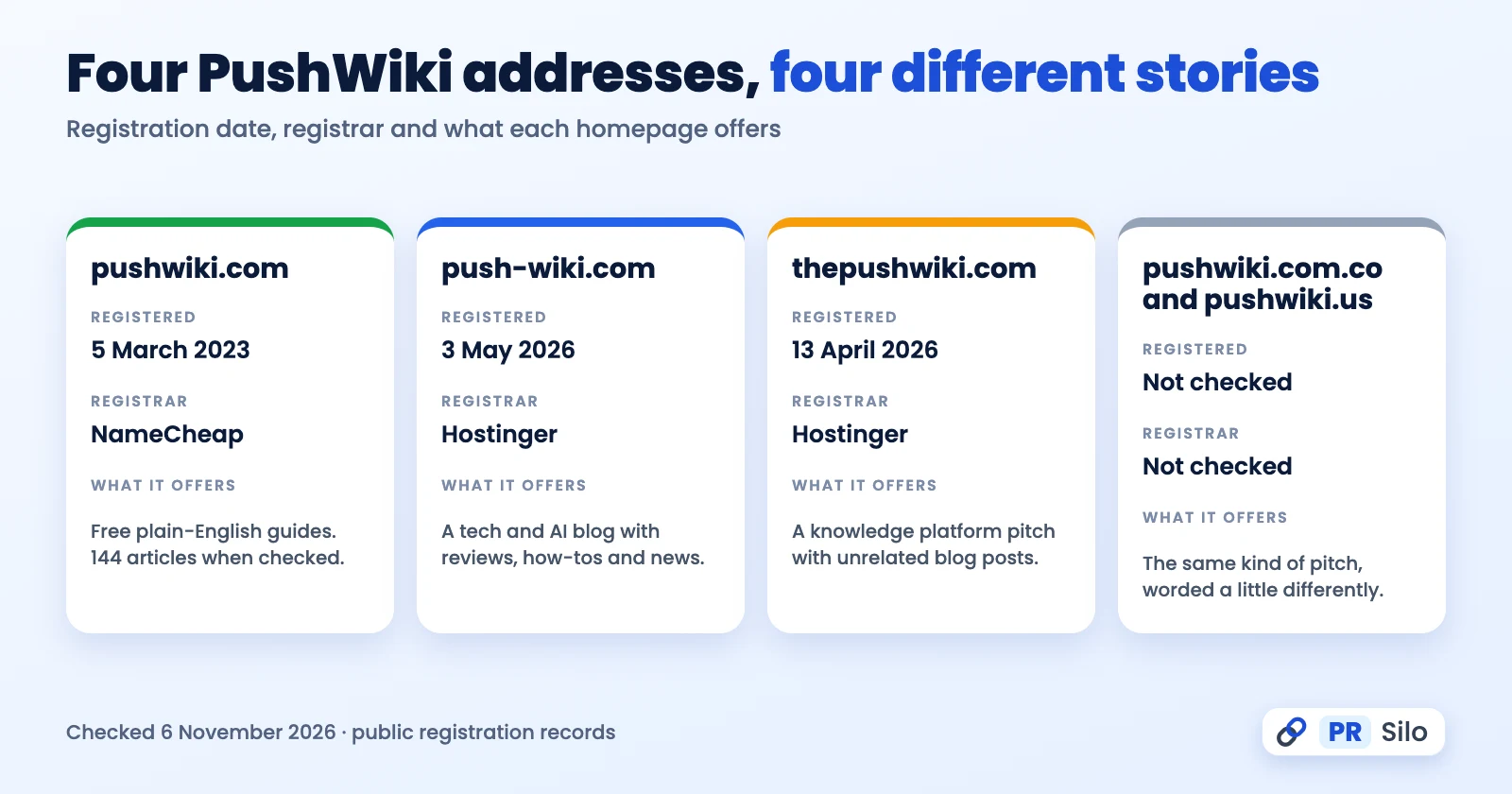
Here’s what turned up, side by side.
| Address | Registered | Registrar | What the homepage says it is |
|---|---|---|---|
| pushwiki.com | 5 March 2023 | NameCheap | Free plain-English guides on tech, marketing, business, finance, health and a bunch more. 144 articles when I counted |
| push-wiki.com | 3 May 2026 | Hostinger | A tech and AI blog. Reviews, how-tos, news |
| thepushwiki.com | 13 April 2026 | Hostinger | A knowledge platform pitch, with unrelated blog posts underneath |
| pushwiki.com.co and pushwiki.us | Not checked | Not checked | Pretty much the same pitch, worded a little differently |
The dates come from the public record for .com names. No record names an owner.
What PushWiki Com Is, and What It Is Not
Start with the word “wiki”. On a real wiki, anybody can edit a page. Every change gets logged, and claims are expected to come with sources. Wikipedia is the one everybody knows, and the Wikipedia entry on wikis explains the idea nicely. Now look at the sites in question. None of them has a public edit button. The pushwiki.com homepage even sends would-be contributors to a Write for Us page. Translation: editors decide what goes live. Whichever address you land on, pushwiki com behaves like a blog or a small online magazine. A community encyclopedia it is not.
It isn’t workspace software either. With a name like that you might expect shared documents, project boards or a login screen. I found none of it.
A few of the smaller sites call themselves a collaborative knowledge platform. I went looking for the collaboration and came up empty. No contributor accounts, no revision history, no sign of a community. Call it sales copy.
Four Addresses, Four Different Stories
pushwiki.com
pushwiki.com is the grandfather of the bunch. NameCheap registered it on 5 March 2023. It’s paid up through March 2027. The homepage pitches a free guide to just about everything. Business is in there. So are technology, digital marketing, finance, health, education, law, travel and lifestyle. I counted 144 articles. Technology wins with 49, then digital marketing at 21. You also get three little tools, a word and character counter, a citation generator and a date difference calculator, along with About, Contact, Editorial Policy, Write for Us and Advertise pages.
Who owns it? No idea, and the site isn’t saying. The footer shows a copyright line and nothing more. There’s an author credit buried in the page code, too, but nobody explains it. A few homepage headlines lean salesy, so I’d read those like sponsored posts.
push-wiki.com
push-wiki.com is a different animal. Watch the hyphen. Hostinger registered this one on 3 May 2026, so it’s about six months old. Its own pitch is a tech and AI information hub, and the menu backs that up, with AI tools, reviews, how-to guides and tech news. The About page names a single founder, Martin, a tech specialist with more than four years behind him. Odd thing, though: the page code credits someone else as author. Email address? Phone number? Street address? I found none of them.
Plenty of reviews blur these two together. One cites the 2023 registration date of pushwiki.com while describing the tech and AI branding of push-wiki.com. Three years apart, so no, that’s not one registration. Whether the same person runs both, I can’t say.
thepushwiki.com, pushwiki.com.co and pushwiki.us
thepushwiki.com came along on 13 April 2026. Compare its homepage with pushwiki.com.co and you’ll spot the same section names: Guide, Learning, Influencer Campaigns, Book. Same WordPress theme credit in the footer, too. One template, two paint jobs. The blog posts are stranger still. Patio doors. Crawl spaces. Nails. Soundproofing. None of it fits a knowledge platform. Over at pushwiki.us, the site calls itself curated and editorially managed, then admits it offers few citations. I never looked up dates for the .co and .us addresses.
Last thing. Other write-ups talk about look-alikes with a doubled s or an extra r. I haven’t checked those, and that’s sort of the point. A different spelling means a different publisher until somebody proves otherwise.
What Readers Get From These Sites
Same story on every one of them. The pages run short and the writing stays plain. Nobody’s shouting at you. Need the basic vocabulary of a subject before you dive in? That works.
| What works | What to watch |
|---|---|
| Free, and nobody asks you to sign up | Sources are rare, and primary research is rarer |
| Plain language, short sections | On most addresses you can’t tell who owns the place |
| Everything sorted into categories | Some posts are solid, some are thin |
| Fine for a first look at a topic | A few posts read like ads |
Picture a waiting room, not a library. You can pick up the terms there. Just don’t cite it.
What the MeezVo Article Says
Now the article behind this search, pushwiki com details on meezvo com. It sits on MeezVo, a catch-all blog that runs from word meanings to fashion to food. It’s a 2026 piece. MeezVo itself was registered on 12 January 2026. Another young site.
So what does it actually say? That the brand is a collaborative knowledge base. Wikipedia meets online course meets long-form blog, apparently. It name-checks five features: deep guides, topic clusters, a book style reading experience, multi-niche coverage and simplified language. Then comes a five-step routine for using the site. Fair play, the article admits some limits. No quizzes. No certificates. A few thin topic areas. And its FAQ concedes that no sources are cited, which is a rare admission.
Then there’s what’s missing. No founder, no figure, no address. It never says which PushWiki site it means, either. All the talk of collaboration and book style learning sounds more like the template sites above than the pushwiki.com I opened. So read it as one opinion among several, then check any specific claim on the live site.
Is It Safe? What We Could and Could Not Confirm
Reading an article on any pushwiki com site doesn’t need an account, so the stakes are low. I read several review pages and none mentioned malware. One says Google Safe Browsing and VirusTotal came back clean. Nice, but I wouldn’t take that on faith. You can run the check yourself in about a minute.
What should you expect? Same as any ad-supported site, really. Pop-ups. Notification prompts. Addresses that look a lot like the real one. If something wants a login, a payment or a download, walk away. Notification request? Click no. Google has instructions for how to manage notification permissions in Chrome and how to block pop-ups and redirects.
Honestly, “is it safe” is really three questions. Is the site real? Is it safe to open? Can you trust what it says? Those are separate. A harmless blog can still be thin or out of date. Several reviews praise the clean layout on phones, though I didn’t run a speed or accessibility test of my own.
Ownership is the one thing I can’t settle. No registration record names the people behind these domains, and the sites barely name anyone either. Plan around that.
A Five-Minute Check Anyone Can Run
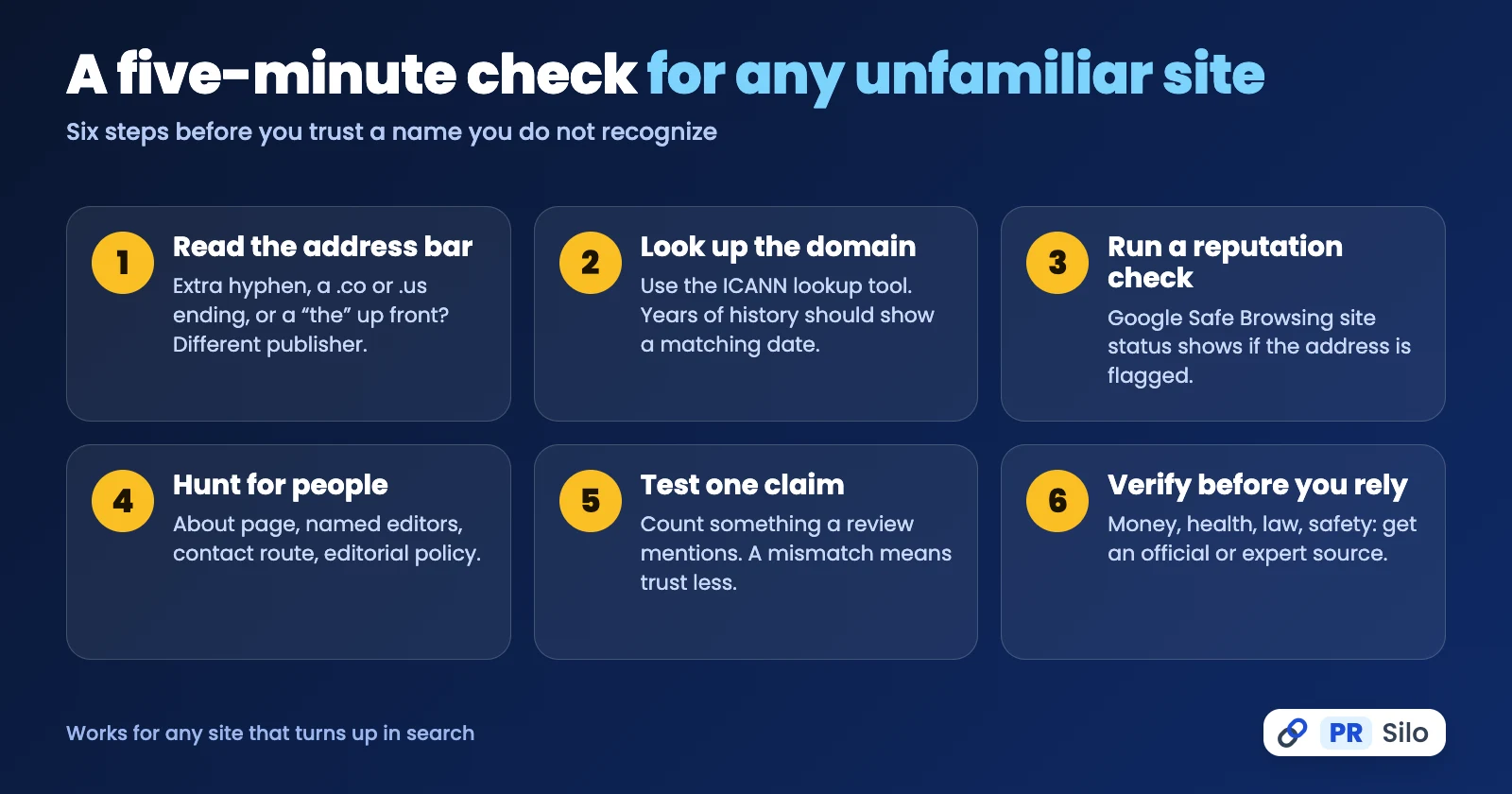
Maybe you got here from pushwiki com details on meezvo com, or from some other third-party write-up. Either way, this is the routine I’d run on any site whose name doesn’t ring a bell.
- Read the address bar. Extra hyphen? A .co or .us ending? A “the” stuck on the front? That’s a different publisher.
- Look up the domain. Drop it into the ICANN lookup tool and read what comes back. If a site brags about years of history, there should be a registration date to match.
- Run a reputation check. Google’s Safe Browsing site status page says whether the address has been flagged as unsafe.
- Hunt for people. An About page. Named editors. A contact route. An editorial policy. Whatever’s missing, jot it down.
- Test one claim. Take a number from a review, say how many categories a site has, and count them yourself. Off by a lot? Then don’t lean on the rest.
- Verify before you rely. Money, health, law, safety? Get an official or expert source. Always.
How to Use a Site Like This Without Getting Burned
A site like this is a first stop, not the last one. Pick up what the words mean. Then go find a source that shows its work. If you write for a living, cite the original document, never the explainer that summarized it.
Google’s helpful content guidance boils it down to a test worth stealing. Is there something original here? Who made it, and why? Two questions. Ask them of every article and the fog clears fast.
What the Name Mix-Up Teaches Site Owners
Zoom out and this whole mess is a case study in entity confusion. Writers pasted facts about one domain onto another. AI answer engines read those pages, so they can repeat the error. Sharing a name with other sites (or nearly sharing one) happens more than you’d guess. If that’s your situation, here’s what I’d do to keep your brand from getting blended with a stranger’s:
- Put a real person or company on your About page. Anonymous sites look risky.
- Publish a founding date. Add a way to reach you.
- Pick one canonical address and redirect the variants to it.
- Add Organization structured data pointing at your genuine profiles.
- Land a few editorial mentions that spell out who you are and what you do.
Outreach is how you fix that from the outside. Digital PR services and guest posting get your brand details printed in credible publications. Technical SEO services keep your own pages from contradicting each other.
Frequently Asked Questions
What is PushWiki, exactly?
Not one company, that’s for sure. Several unrelated sites share the name. The oldest is pushwiki.com, a free guide site that wanders over technology, digital marketing, business and more. push-wiki.com, hyphen and all, is a newer tech and AI blog. A few others recycle the same knowledge platform pitch with very little original content behind it. The phrase pushwiki com is really a label for a muddle.
Is it legit and safe to visit?
Reading is low risk, in my view. No account is needed and none of the reviews I read reported malware. Still an ad site, though, which means pop-ups, and I’d always decline those notification prompts. Typing a password or card number into something that appeared through an ad? That’s the real danger. Several reviews say pages load nicely on phones. I haven’t tested that myself.
Is it a real wiki?
Nope. On Wikipedia, strangers edit pages and every change is logged. Nothing like that exists here. Editors write or approve what goes up, so you’re reading blogs, basically. The pushwiki.com homepage even invites writers to pitch editors through a Write for Us page.
Is it free?
Yes. I hit no paywall or sign-up wall on any page I read. The pushwiki.com site does list an Advertise page, though, so expect ads and maybe sponsored posts.
What topics does it cover, and who is it for?
pushwiki.com had 144 articles when I looked. Technology led with 49. Digital marketing came next with 21. Everything else, from business and education to finance, travel, lifestyle, health and law, shared the rest. push-wiki.com is all tech and AI. Who reads this stuff? Beginners, I’d guess, plus students and the curious.
Can beginners trust what they read?
As a starting point, fine. The writing is easy. But the pushwiki.com footer names nobody, and at push-wiki.com the About page names one founder while the page code credits a different author. I wouldn’t lean on that much. Health, money and the law? I’d want an official source for those.
How can I check whether an article is accurate?
Try this. The pushwiki.com homepage lists 144 articles, so open it and look. A review that fumbles a simple number like that won’t get my trust on harder claims. A page that sounds certain yet names no source makes me nervous as well. I’d glance at dates and authors on the way.
Which website is the correct one?
Depends what you were after. Free general guides point to pushwiki.com, the older one. Tech and AI reviews point to push-wiki.com. And if all you have is pushwiki com details on meezvo com, that’s secondhand, so type the address into your browser and see for yourself before believing anything.
Is it better than Wikipedia?
Not for depth, no. Wikipedia has sourced, community-edited background on almost anything, and these sites can’t match that. They’re better for a quick read, something you finish over a coffee. I’d get my bearings on a site like this and then switch to Wikipedia or primary sources.
The Bottom Line
Four sites, one name. I know, it’s a mouthful. Look at the address first, then the registration date, then ask who’s actually behind the page. Do that and pushwiki com turns into what it should be: a quick orientation, nothing more.